

Pick a time
1
Open the menu
The arrow next to Send opens the menu. It lists the next morning, the next afternoon, and the next Monday morning. Pick date & time is for any other time.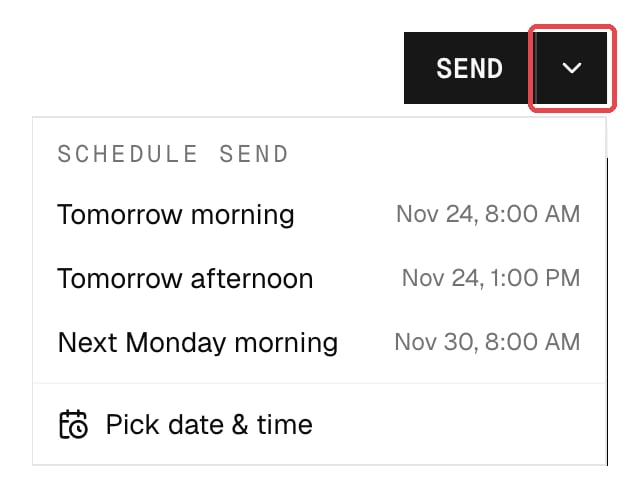
2
Schedule it
After you pick a time, the button changes from Send to Schedule, and a line next to it shows when it will go. Click Schedule. Send now in the same menu clears the time.

Change it
Scheduled, in the inbox sidebar, lists what is still waiting, soonest first.



If it fails
A send that cannot go out stays in Scheduled, marked Failed, with the reason next to the subject. It was never sent. Dismiss removes it from the list.From the API or the CLI
PasssendAt when you send an email. The response is 202 with status: scheduled. Sending a draft takes the same field, and the draft leaves Drafts.
GET /v1/inboxes/{id}/scheduled-sends lists what is waiting. PATCH on a send changes sendAt only. DELETE cancels it and does not put the email back in Drafts.